How to Integrate Payment Gateways in Odoo Subscriptions
Digital Transformation
Dec 12, 2025
Learn how to seamlessly integrate payment gateways in Odoo subscriptions to enhance billing automation, improve security, and boost customer satisfaction.
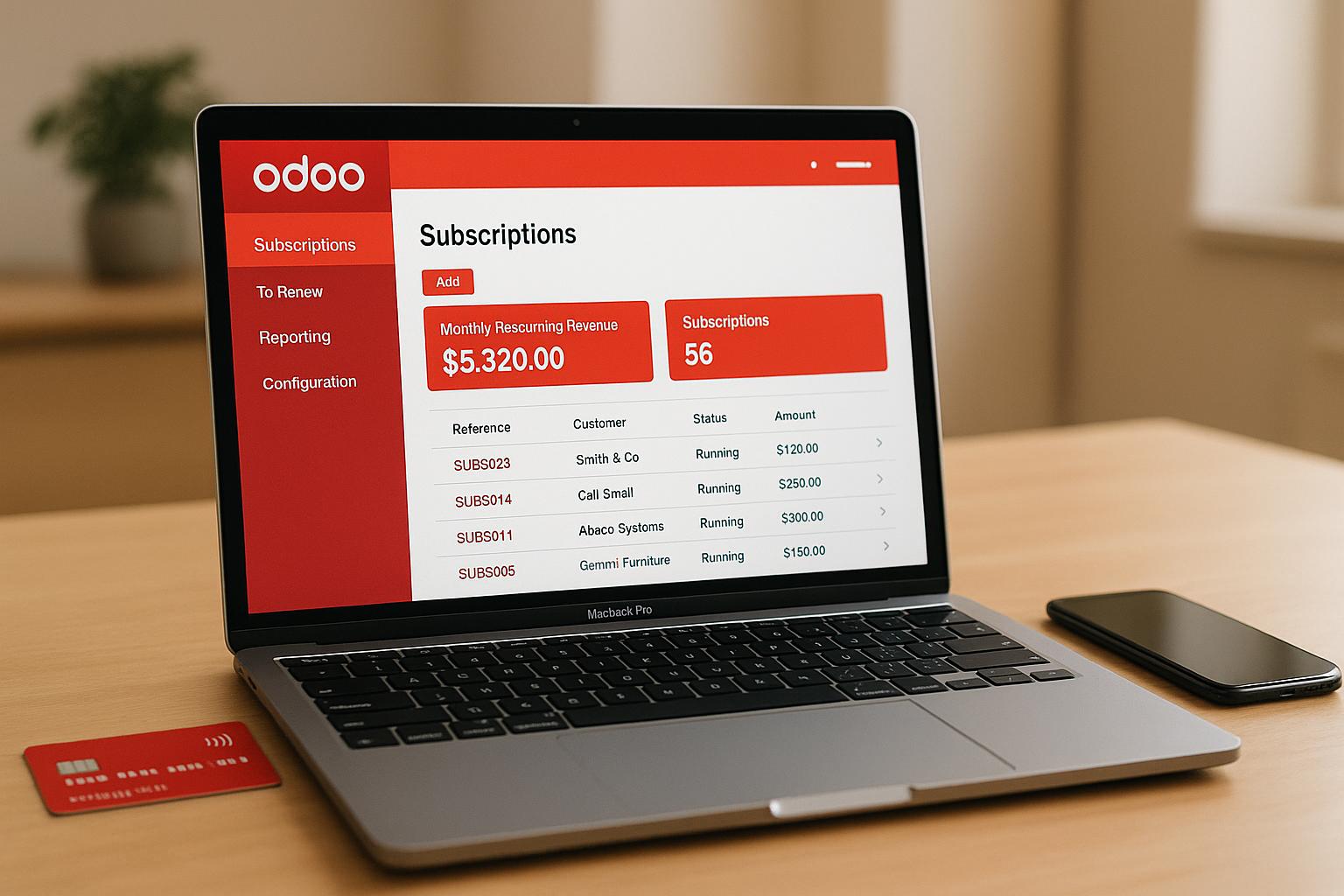
Integrating payment gateways with Odoo automates subscription billing, reduces errors, and improves customer satisfaction. It ensures secure transactions, supports recurring payments, and complies with US regulations like PCI DSS. Here's a quick summary of what you'll learn:
Why it matters: Automating payments reduces errors, boosts retention by 30%, and improves cash flow forecasting by 50%.
Key features in Odoo: Support for popular gateways like Stripe, PayPal, and Authorize.Net, tokenization for secure recurring payments, and tools for US-specific compliance.
How to integrate: Set up payment gateway modules, configure API credentials, and test in sandbox mode before going live.
Best practices: Focus on security, compliance, and monitoring to ensure smooth operations and protect customer data.
With the right setup, Odoo’s subscription system can streamline payments and help your business grow efficiently.
How to Add a Payment Provider in Odoo 17 | Odoo Accounting
Choosing and Setting Up Your Payment Gateway
Picking the right payment gateway is a critical decision for your business. The wrong choice can lead to lost customers, compliance issues, and even security risks that could tarnish your reputation.
How to Choose the Right Payment Gateway
Start with your business needs. Before diving into features or pricing, take a moment to evaluate what your subscription business truly requires. Think about your expected transaction volume, the payment methods your customers prefer, and whether you’ll need support for multiple currencies to cater to international markets. These factors will help you narrow down your options.
Ensure compatibility with Odoo. Not every payment gateway works seamlessly with Odoo. Stick to providers that offer native integration through Odoo's built-in modules. Some reliable options include Stripe, PayPal, Adyen, Authorize.Net, Mollie, and Razorpay.
Look for automated recurring payment support. To minimize involuntary churn - when customers lose access due to failed payments or expired cards - choose a gateway with smart dunning management. This feature automatically retries failed payments and notifies customers about card issues.
Prioritize security standards. Make sure your gateway complies with PCI DSS requirements, as non-compliance can lead to hefty penalties.
Cater to US payment preferences. American customers expect flexibility. Your gateway should support major credit and debit cards, ACH transfers, and popular digital wallets like Apple Pay and Google Pay. Offering express checkout options can also make a big difference. For instance, a one-second delay in page load time can reduce conversions by 7%, while improving the checkout experience can increase them by over 35%.
Understand the fee structure. Payment gateways vary widely in pricing. Some charge a flat monthly fee plus transaction costs, while others use a tiered pricing model. For high-value subscriptions, gateways with fixed monthly fees and lower transaction rates might be ideal. On the other hand, percentage-based pricing could work better for businesses with high transaction volumes but lower individual values.
Check performance and reliability. Speed and uptime are essential. Look for gateways with a guaranteed uptime of over 99% and quick transaction processing times.
Here’s a comparison of some of the top Odoo-compatible gateways for subscription-based businesses:
Payment Gateway | Best For | Key Strengths | US Market Focus |
|---|---|---|---|
Stripe | Subscription businesses | Advanced recurring billing, developer-friendly API, tokenization support | Strong US presence; supports ACH |
PayPal | International reach | Widely trusted, multi-currency support, global acceptance | Excellent US coverage |
Authorize.Net | High-volume transactions | Advanced fraud detection, wide payment method support | US and Canada focused |
Once you’ve chosen a gateway, it’s time to prepare your Odoo system for integration.
Getting Ready for Payment Gateway Integration
After selecting your payment gateway, follow these steps to ensure a smooth integration process with Odoo.
Verify your Odoo setup. Make sure you have administrator access to your Odoo account and that the Accounting module is active and properly configured.
Set up and verify your gateway account. Complete the registration and verification process with your chosen payment provider.
Secure your API credentials. Safeguard your API keys, merchant IDs, and other credentials. Always use HTTPS for secure communication.
Configure gateway-specific settings. For example:
With PayPal, enable Auto Return and Instant Payment Notification.
For Authorize.Net, set up Response/Receipt URLs and secure the required API credentials.
Use sandbox accounts for testing. Before going live, test your integration in a sandbox environment. This allows you to simulate different payment scenarios - like successful transactions, failures, and refunds - without processing real payments.
Plan for compliance. Consider working with providers that offer compliance-as-a-service to ensure your integration meets all regulatory requirements.
Prepare for go-live. Once you’ve thoroughly tested the integration, switch from sandbox to production mode. Update your Odoo configuration with live API credentials and plan a soft launch. Start with a limited number of transactions to monitor performance before scaling up.
Taking the time to set up your payment gateway correctly will make all the difference. A strong foundation ensures smoother operations and fewer issues down the line.
Step-by-Step Payment Gateway Integration Process
Now that you've selected your payment gateway and set up your system, here’s how to connect your payment gateway to Odoo’s subscription system for smooth and efficient operations.
Installing the Payment Gateway Module
Start by ensuring you have administrator access to your Odoo account and that the Accounting module is installed and active (required for Odoo 17 and later). Then, head over to the Apps section to locate the necessary module.
In the search bar, type "Payment Acquirer" or the name of your chosen gateway (e.g., "Stripe Payment Acquirer"). Once you find the module, click "Install" to begin the process.
"Odoo, a comprehensive and integrated corporate management platform, includes powerful capabilities for configuring payment acquirers, making it an excellent alternative for companies wishing to improve their financial processes." - CandidRoot Solutions
Odoo supports various payment providers, including Adyen, Authorize.Net, PayPal, and Stripe. Once the module is installed, you’re ready to configure your API credentials and settings.
Setting Up Payment Gateway Configuration
After installation, it’s time to establish the connection between Odoo and your payment provider. Navigate to Accounting > Configuration > Payment Providers (or access it via the Website, Sales, or Invoicing modules). Enter the API credentials provided by your payment gateway, set the operating mode to "Test mode", and use sandbox credentials from your provider to verify the integration.
You can customize the supported payment methods by enabling or disabling options like credit cards, ACH transfers, or digital wallets. If you're serving international customers, adjust multi-currency and country settings to suit your audience.
Next, define a payment journal (usually a Bank journal) to record financial transactions. For businesses offering recurring subscriptions, enable tokenization by activating the option to save payment methods. This feature creates a secure payment token for each customer, which is used for future recurring charges. By relying on certified payment providers, this approach ensures compliance with PCI standards for handling sensitive data.
Once you’ve completed the configuration, it’s time to connect the gateway to your subscription plans.
Connecting Payment Gateway to Odoo Subscriptions
To enable automated recurring billing, link your configured payment gateway to Odoo’s subscription feature. Start by setting up your subscription plans, detailing pricing, billing frequency, and any trial periods. Enable automated invoicing so recurring invoices are generated and sent without manual intervention.
Tokenization ensures customers can securely store payment details for recurring charges. Additionally, configure the customer self-service portal, allowing subscribers to manage their subscriptions, update payment details, and access invoices.
Thoroughly test the entire process, including sign-ups, recurring payments, and handling payment failures, to ensure everything functions as expected.
"Odoo embeds several payment providers that allow your customers to pay online, on their customer portals, or on your eCommerce website. They can pay sales orders, invoices, or subscriptions with recurring payments using their favorite payment methods, such as credit cards." - Odoo 19.0 documentation
Once testing is complete, switch from "Test mode" to "Live mode" by replacing sandbox credentials with your live API keys. Monitor initial transactions closely to confirm that payments are processed correctly and subscriptions renew without issues.
This integration allows customers to securely save their payment information during their first transaction. Odoo then uses the stored token for future recurring charges, simplifying revenue collection while minimizing friction for your subscribers.
Security, Compliance, and Testing Setup
When your payment gateway is connected to Odoo subscriptions, securing transactions becomes a top priority. Protecting customer trust is essential, and neglecting security could lead to penalties of up to $100,000 per month.
Payment Security Best Practices
Odoo employs a smart strategy for payment security by delegating the handling of sensitive data to certified payment providers. This ensures that your Odoo system never directly stores credit card numbers or other sensitive payment information.
"Odoo apps delegate the handling of sensitive information to the certified payment provider so that you don't ever have to worry about PCI compliance. No sensitive information (such as credit card numbers) is stored on Odoo servers or Odoo databases hosted elsewhere. Instead, Odoo apps use a unique reference number for the data stored safely in the payment providers' systems." – Odoo 19.0 documentation
To strengthen security, always use SSL certificates. Running your Odoo instance on HTTPS with a valid SSL certificate is critical, and many hosting providers offer free certificates through Let's Encrypt.
Tokenization is another effective measure. By generating secure tokens for recurring payments, you can meet PCI DSS compliance requirements.
Many payment providers also offer fraud detection tools to safeguard transactions. For instance, Stripe's Radar uses machine learning to flag suspicious activity, while PayPal provides buyer and seller protection programs to reduce fraud risks.
For added security, enable multi-factor authentication (MFA) for all administrative access to your Odoo system.
Once security measures are in place, it's time to confirm system reliability through rigorous testing.
Testing Payment Processes Before Launch
Testing your payment processes thoroughly is essential to avoid costly mistakes and improve customer experience. Payment failures cost the global economy an estimated $118.5 billion annually, and 67% of users abandon purchases after encountering payment issues.
Start by setting up sandbox environments provided by payment gateways like Stripe, PayPal, and Square. These environments allow you to test payment flows without processing real transactions.
Develop detailed test cases for various scenarios, including successful payments, declined transactions, network timeouts, and subscription renewals. Use test card numbers provided by your payment gateway (e.g., Visa: 4111 1111 1111 1111 or Mastercard: 5105 1051 0510 5100, CVV 111) to simulate different outcomes like approvals, declines, and refunds.
Don't overlook error handling. Simulate issues such as network interruptions, expired cards, or invalid details to ensure your system provides clear error messages and recovery options. Pay special attention to subscription-specific scenarios, such as recurring billing cycles, failed renewals, and voluntary cancellations. Keep detailed records of test results to assist with troubleshooting after launch.
US Business Compliance Requirements
After securing and testing your payment integration, it's crucial to comply with US regulations. Starting March 31, 2025, US businesses must adhere to PCI DSS v4.0 standards.
Since Odoo doesn’t store cardholder data, your compliance responsibilities are lighter. However, you’ll still need to complete a Self-Assessment Questionnaire (SAQ) with your payment provider to obtain an Attestation of Compliance.
"Odoo is not PCI DSS-certified because it does not store cardholder data or process payments. Instead, it outsources tokenization and payment to external payment providers, which means that as an Odoo customer, you only need to complete the minimal Self-Assessment Questionnaire (SAQ) with the provider to obtain the Attestation of Compliance (AoC) and achieve PCI compliance." – Odoo 19.0 documentation
Key requirements under PCI DSS v4.0 include implementing multi-factor authentication for access to cardholder data environments, enforcing password policies requiring at least 12 characters, and conducting regular vulnerability assessments.
Non-compliance can lead to steep fines, ranging from $5,000 to $100,000 per month, depending on transaction volume and compliance status. Additionally, a single compromised customer record could cost between $50 and $90 in compensation.
US businesses must also follow federal laws like the Electronic Fund Transfer Act (EFTA), Truth in Lending Act (TILA), and Equal Credit Opportunity Act (ECOA) to protect consumers. For subscription services, managing chargebacks effectively is key. Visa sets a chargeback limit at 0.9% of total transactions, while Mastercard allows up to 1.0%. Clear billing descriptors and accessible refund policies can reduce disputes by as much as 30%.
If you're expanding into new markets or dealing with complex regulations, consulting with compliance experts can help you navigate requirements and safeguard your business reputation. Their guidance can be invaluable for staying compliant and maintaining trust.
Monitoring and Improving Payment Gateway Performance
Once your payment gateway is live and handling subscription payments, keeping it running smoothly is a top priority. Regular monitoring helps you catch potential issues before they affect your revenue, while ongoing improvements ensure your customers enjoy a hassle-free payment experience. This ongoing attention connects the initial success of integration with long-term operational reliability.
Using Odoo's Reporting Tools for Tracking
Odoo includes a reporting feature within its Website application that makes it easy to track and analyze your eCommerce sales performance. According to Odoo 19.0 documentation:
From this dashboard, key metrics like "Qty Invoiced" and "Untaxed Total" can provide a clear picture of successful transactions. For deeper insights, you can use pivot tables or export data for further analysis, helping you identify trends or pinpoint any issues quickly. If you're looking for broader customer behavior insights, consider integrating with external tools like Google Analytics or Plausible.io.
Some critical metrics to monitor daily include transaction success rates (aiming for above 98%), checkout conversion rates, and errors within the payment gateway. It's equally important to maintain uptime of 99.9% to avoid revenue disruptions. By keeping a close eye on these numbers, you can strengthen payment stability and improve customer retention, ensuring a seamless subscription experience.
Improving Payment Workflows
For subscription businesses, customer experience is everything. Research shows that 45% of customers won’t retry a payment after a failure, and 42% may not return after a false decline. To counter these challenges, analyze your checkout conversion rates and simplify the process - reducing unnecessary form fields can make a big difference. Clear error messages with actionable steps can also ease friction during payments.
Chargebacks are another area to manage carefully. Keep your chargeback rate below 1% by making sure your billing descriptors clearly identify your business and processing refunds promptly when requested. Companies that remain compliant with payment standards see 78% fewer security issues and a 60% drop in exposed card data compared to those that don’t.
When it comes to subscriptions, recovering failed payments is crucial. Reaching out to customers with failed payments and automating renewal reminders can significantly boost retention. You might also consider A/B testing different checkout designs or payment methods - businesses that do this regularly often see revenue increases of 10–30%. Metrics like Average Revenue Per User (ARPU) and Customer Lifetime Value (CLV), available through Odoo’s subscription analytics, can guide further optimizations. By acting on customer feedback, you could see a 25% increase in customer lifetime value.
Regular Maintenance and Updates
Beyond tracking performance and refining workflows, regular maintenance ensures your system stays secure, compliant, and efficient. Alarmingly, only 29% of organizations maintain PCI DSS compliance a year after validation, underscoring the need for ongoing diligence.
Security updates should always be a priority. Apply patches as soon as vulnerabilities are identified, and conduct regular security assessments - especially after making system changes. The latest PCI DSS v4.0 requirements took effect on March 31, 2024, with additional measures becoming mandatory by April 1, 2025.
Odoo payment gateway modules should also be kept up to date, as providers frequently update their APIs and security protocols. Regular updates, combined with earlier testing and setup, will help protect your integration over time. Make it a habit to check for updates, testing them in sandbox environments before rolling them out to avoid transaction failures or security gaps.
Training your team on security best practices is equally essential. Staff should be able to recognize phishing attempts, follow safe browsing habits, and ensure that access to sensitive payment data is restricted to only those who need it.
Another critical step is managing API keys securely. Store keys in environment variables or secure vaults, rotate them regularly, and revoke access immediately when employees leave. Additionally, implement webhook retry logic and log all webhook responses. For critical confirmations, consider fallback mechanisms like status polling.
To further enhance reliability, consider using multiple payment gateways. This approach not only avoids over-reliance on a single provider but also gives you better control over fees, as recommended by industry experts. Monitor your costs regularly and set up real-time alerts for system issues, failed transactions, or unusual activity. This proactive approach ensures that minor problems are addressed before they escalate, protecting both your revenue and customer satisfaction.
Conclusion
Bringing payment gateways into your Odoo subscriptions setup turns managing recurring revenue into a dynamic, fine-tuned process. From selecting the right gateway and securing transactions to thorough testing and ongoing monitoring, each step contributes to a payment system designed to enhance customer satisfaction and drive business growth.
The numbers back this up. For instance, businesses lose an average of 4% of revenue due to payment fraud. This highlights the importance of proper implementation and consistent upkeep - your payment gateway integration directly influences your bottom line.
Successful subscription businesses understand this isn't a "set it and forget it" scenario.
This involves keeping an eye on transaction success rates, prioritizing metrics like Monthly Recurring Revenue (MRR) and Customer Lifetime Value (CLV), and staying proactive about evolving security standards.
The benefits of a well-integrated system are clear. Predictive analytics can cut churn by up to 15%, while regular pricing tests have been shown to increase revenue by 10–30%. Add to that a 25% boost in customer lifetime value from acting on customer feedback, and the potential for growth becomes undeniable.
With your Odoo subscription system handling recurring payments, automating billing, and improving customer retention, your business is set to scale efficiently while offering a smooth and reliable experience for your customers.
FAQs
What should I consider to ensure compliance with US regulations when integrating payment gateways into Odoo subscriptions?
To stay compliant with US regulations when integrating payment gateways into Odoo subscriptions, it's essential to choose solutions that adhere to PCI DSS standards, ensuring secure processing of payment data. Avoid storing sensitive cardholder information directly in Odoo by working with certified providers that offer tokenization services.
It's also crucial to align your setup with US financial regulations. Odoo supports GAAP compliance through its fiscal localization features, making it easier to manage your financial reporting accurately. Keep yourself updated on legal requirements related to subscription management and transaction reporting to avoid compliance issues. Regularly monitor changes in both Odoo's capabilities and US regulations to ensure your system stays up to date and compliant.
How can businesses test their payment gateway integration in Odoo to ensure everything works smoothly before going live?
To make sure your payment gateway works smoothly in Odoo, start by turning on test mode in the payment acquirer settings. This lets you simulate transactions without using real money. Then, use the sandbox environment provided by your payment gateway to set up test accounts and try out different transaction scenarios, like successful payments, refunds, and cancellations.
Be sure to test all payment methods, currencies, and transaction types thoroughly. This step is crucial for catching any potential problems early. Proper testing not only helps avoid errors but also ensures your customers have a hassle-free experience when your system goes live. It’s a great way to minimize disruptions and build trust in your payment setup.
What are the best ways to ensure secure payments and prevent fraud in Odoo's subscription system?
To ensure secure payments and reduce fraud risks in Odoo's subscription system, a few important steps can make a big difference. First, activate SSL/TLS encryption to safeguard sensitive data during transactions. Implementing role-based access control (RBAC) is another crucial measure to prevent unauthorized access to critical areas of your system.
Using certified payment gateways equipped with 3D Secure authentication and fraud detection tools provides added protection against fraudulent transactions. Staying on top of security updates by keeping your Odoo system patched is equally important. Enabling two-factor authentication (2FA) adds an extra layer of security to user accounts.
Lastly, make it a habit to review user permissions and monitor transaction logs regularly. This helps in spotting vulnerabilities early and maintaining a secure and dependable subscription payment process.


